Obligations
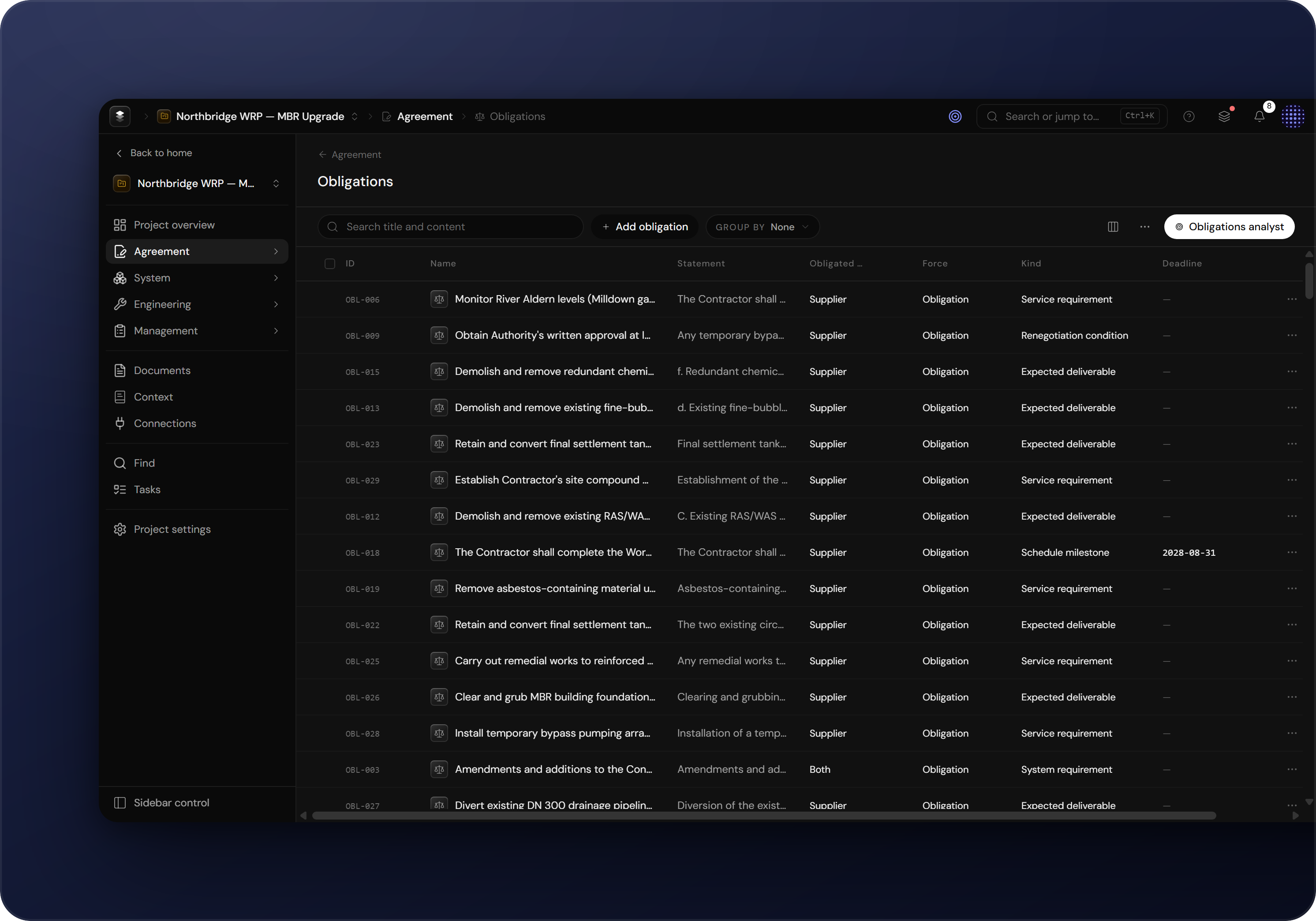
The obligations register records each contractual duty with its obligated party, binding force, kind and deadline. Entries are derived from the agreement or added by hand.
Why track obligations
Engera records each duty in the agreement as an obligation item. The register lists what your side owes under the contract and what is owed to you.
How an obligation is described
- Statement: the duty, in the contract's own terms.
- Obligated party: the side that owes the duty, yours or the other side of the agreement. Filter by party to see only the duties one side owes.
- Force: how binding the duty is, taken from the contract's wording.
- Kind & deadline: what sort of duty it is (deliver, notify, obtain, maintain, …) and when it falls due.
- Source & review state: the clause it derives from, and the pending/accepted review state for AI-derived entries.
Populating the register
The register is under Agreement → Obligations. There are two ways to add obligations:
- Derive obligations from the contract. Derived entries arrive pending review; see Reviewing AI suggestions.
- Click Add obligation to record a duty by hand.