Documents & extraction
Upload contracts, specifications and standards. Engera extracts sections, clauses and metadata, and links each section to its position in the source PDF.
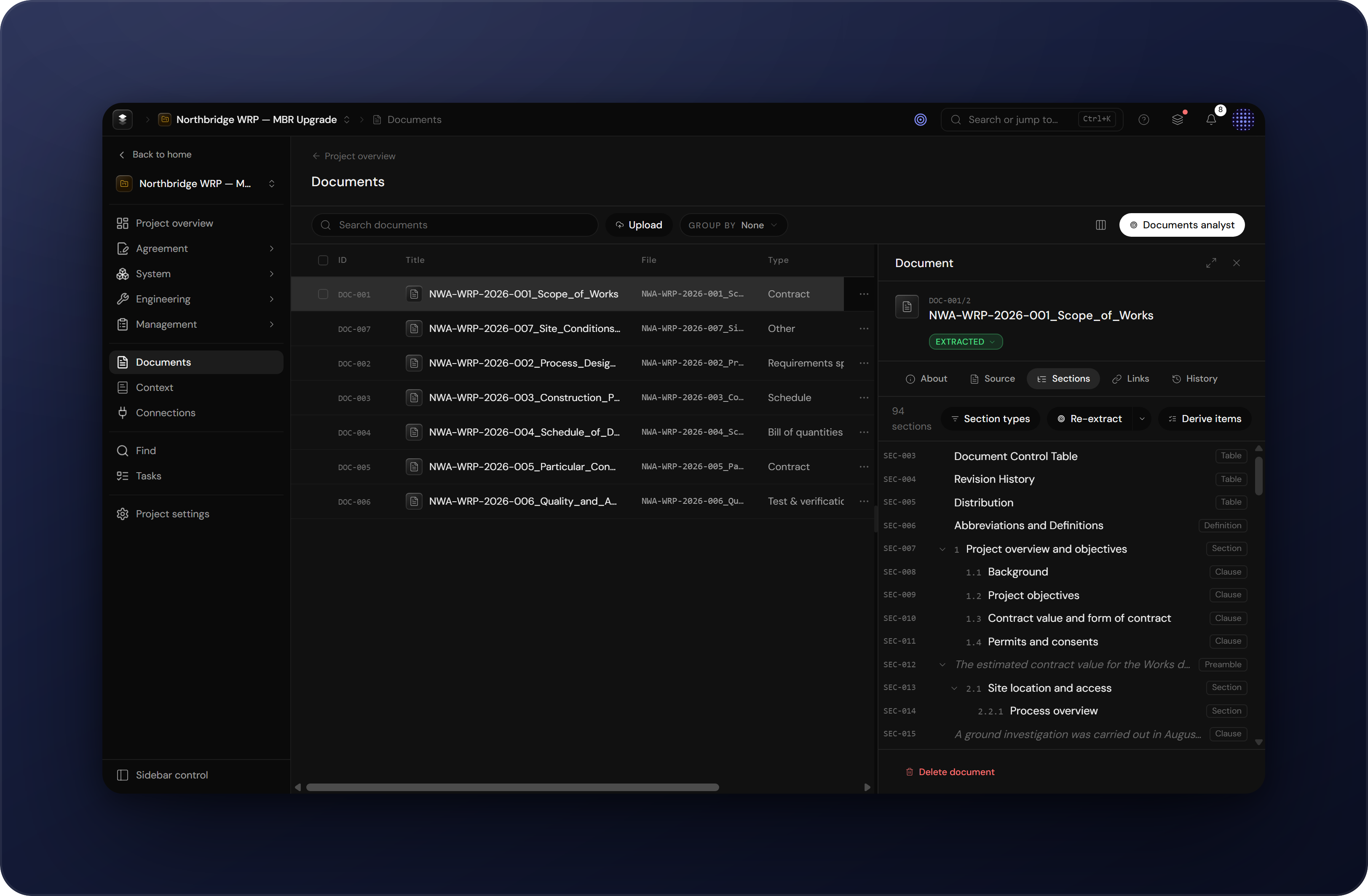
The documents surface
Every project has a Documents surface. It lists everything uploaded into the programme: contracts, technical specifications, standards, data sheets and reports. Each document shows its type, language, page count and extraction status, and opens into a structured reading view. If you are new to Engera, begin with the Start guide.
Upload & extraction
Drop a PDF onto the surface, or use Upload. Engera reads the document natively, without OCR pre-processing, and extracts:
- Structure: the section tree of chapters, sections, subclauses, schedules and appendices, with their numbering.
- Content: the text of every section, including tables, rendered in the reader.
- Metadata: title, parties, dates, document type and language, proposed automatically and editable.
Sections appear in the tree as they are extracted, before the rest of the document has been processed.
Sections & clauses
Extraction produces a tree of addressable items. Every section and clause has a stable identifier that other items in the project can reference. A requirement derived from a clause links back to that clause, and a compliance entry references the exact subclause.
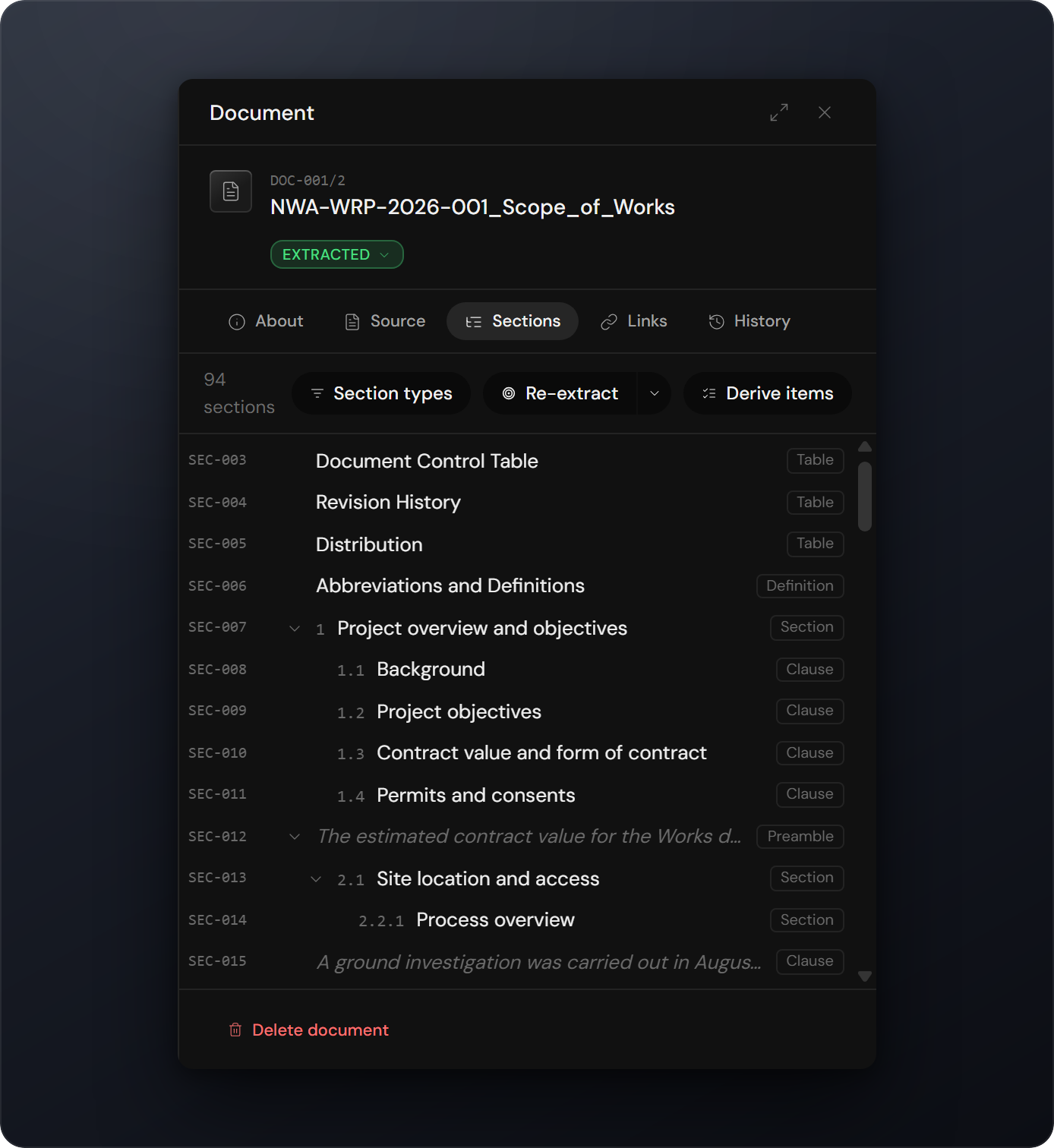
Reading with the source
The reader shows the extracted, structured version side by side with the verbatim source. Click any section to jump to its position in the original PDF. Engera highlights the corresponding words on the page.
Categorising clauses
For contracts and specifications, run Analyse after extraction. Engera categorises each clause:
- Responsibility areas: which discipline or party a clause concerns, with automatic assignment proposals.
- Clause types: what kind of provision a clause is, such as an obligation, a right, a definition or a procedure.
- Reasoning: every categorisation stores the AI's rationale, visible to reviewers before they accept it.
After categorisation, you can derive obligations, requirements and risks from the document. Each derived item links back to its source clause. See Derive items.