Derive items from a document
Start a derivation from an extracted document: Engera reads each section and proposes items for review.
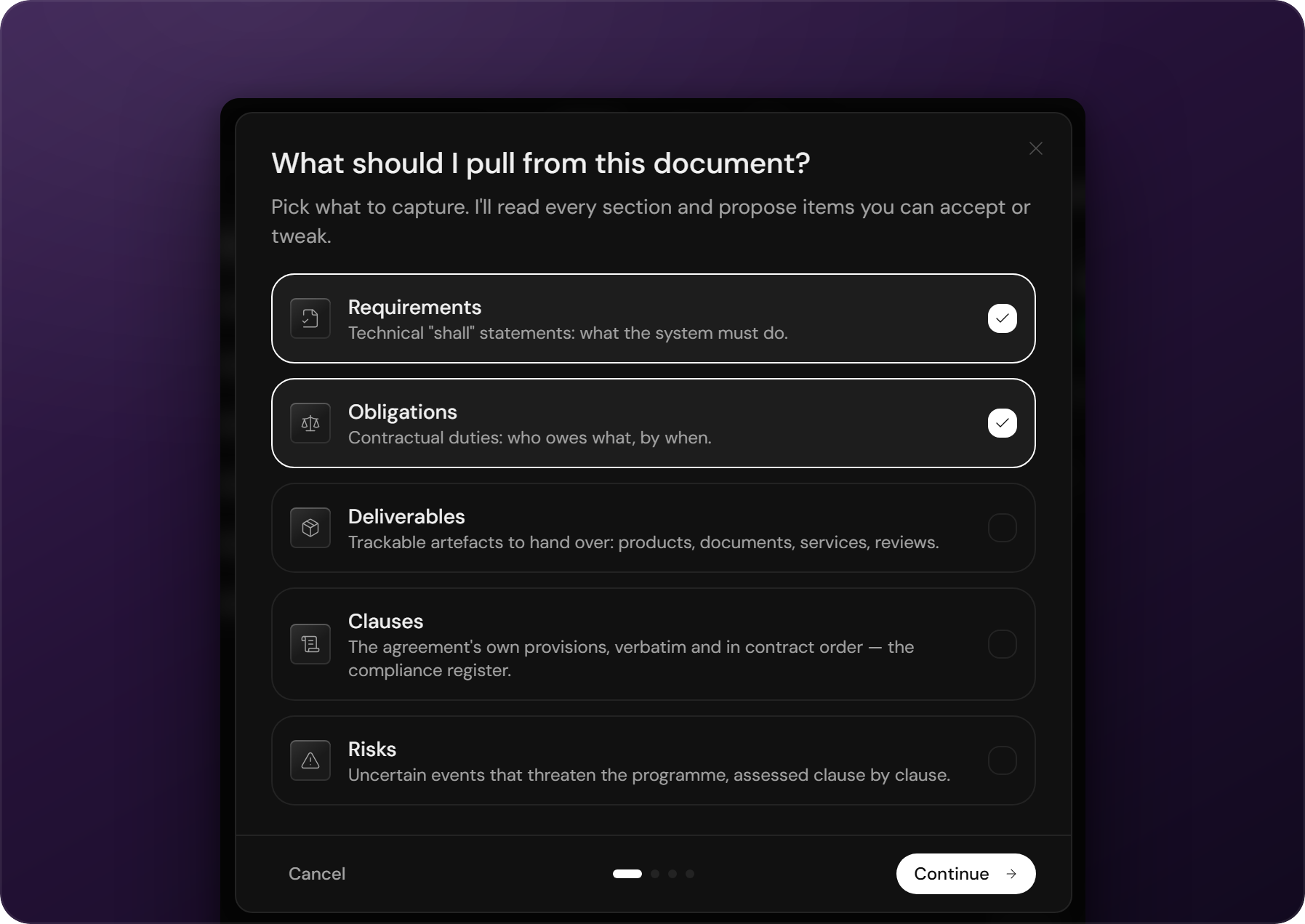
Start a derivation
There are two ways to start a derivation: from the document itself, or from a specialist analyst. To start from the document, open it on the Documents surface, switch to its Sections tab and choose Derive items. The document must be extracted first; see Documents & extraction.
What to capture
Pick one or more item kinds. Engera reads every section and proposes:
- Requirements: "shall" statements found in the text.
- Obligations: duties the contract places on a party.
- Deliverables: artefacts the contract requires to be handed over.
- Clauses: the agreement's provisions, captured verbatim and in contract order.
- Risks: identified and assessed clause by clause.
Runs execute in the background. Proposals appear on their surfaces as the run progresses.
With the analyst
You can also start a derivation from a specialist analyst. Ask the risks analyst to "derive risks from DOC-001, sections 6 to 8": the analyst starts a run scoped to those sections and reports progress. Use this path to derive from part of a document.
Where results land
Proposals appear on their item surfaces, marked as pending review:
- Requirements under System → Requirements.
- Obligations under Agreement → Obligations.
- Deliverables under Agreement → Deliverables.
- Clauses under Agreement → Clauses.
- Risks under Management → Risks.
What happens next is covered in Reviewing AI suggestions.